What Is a DAW? And What You Need to Run One
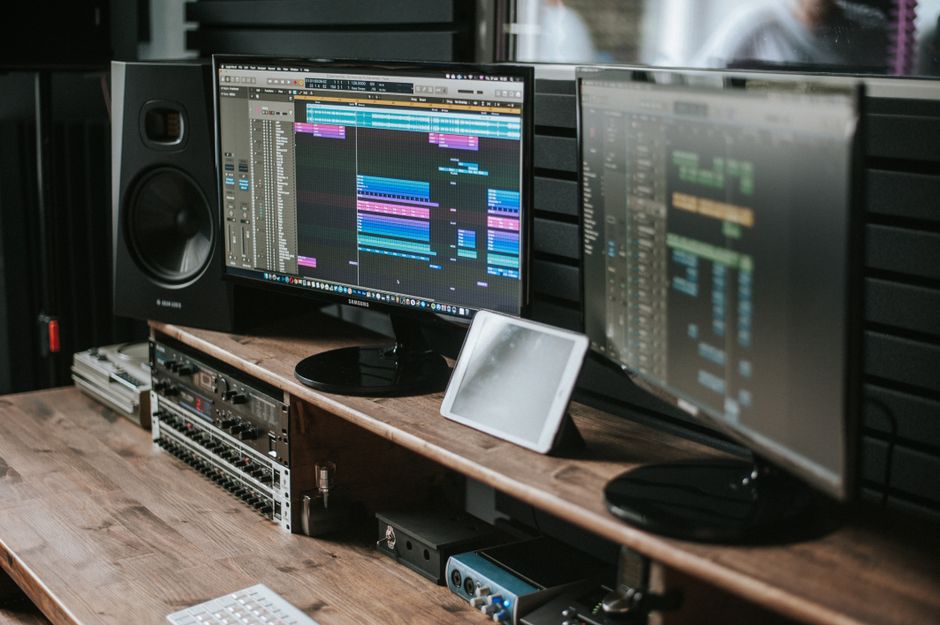
A DAW, short for digital audio workstation, is the software you record, edit, arrange and mix music in. Ableton Live, FL Studio, Logic Pro, Pro Tools, Reaper and Bitwig Studio are all DAWs. It is the tape machine, the mixing desk, the effects rack and the sheet of manuscript paper from a 1980s studio, collapsed into one window on a laptop that also has your tax return open in another tab.
The short version. Every DAW does the same four jobs and none of them will sound better than what you feed it. Start with a free one, or with the licence already sitting in the box of your MIDI keyboard, then put the money into the input side: the Audient iD14 MkII at 206 euro solves latency and input quality in a single purchase, and it is the piece most people should buy before they buy any software at all.
Jump to:
The four jobs every DAW does
Strip away the branding and every one of them does four things.
It records audio. A signal arrives from a microphone or an instrument, gets converted to numbers, and lands on a timeline you can see.
It sequences MIDI. MIDI is not sound. It is a list of instructions: this note, this hard, this long. The DAW stores that list and points it at an instrument, which is why you can play a part badly on a piano sound and turn it into a good part on a synth an hour later.
It edits. Cut, move, stretch, tune, comp twelve takes into one. This is where the hours go, and it is the reason nobody has ever finished a track in the time they estimated.
It mixes. Faders, panning, plugins for EQ, compression and reverb, then a stereo file at the end.
That is the whole category. What separates one DAW from another is not the feature list, it is how much the software gets in your way while you are doing those four things. Every comparison video that ranks them by feature count is measuring the wrong thing.
Where the free ones stop
Further than most people expect, and that is worth saying plainly in an article on a shop website.
GarageBand is free on every Mac and iPhone, and it is a real DAW: multitrack, MIDI, plugins, a decent set of instruments. Reaper costs very little and behaves like a full professional tool. Waveform Free and Cakewalk cost nothing and put no ceiling on your track count.
Then there is the licence you may already own without knowing it. Most MIDI controllers in the entry bracket, the ones further down this page included, ship with a cut-down DAW in the box, usually a lite edition of Ableton Live. Check what came with your hardware before you buy any software. I have watched people pay for a licence that was printed on a card in a box under their desk.
The ceilings, when you hit them, are real but specific: limited track counts in the lite editions, no advanced comping, fewer stock plugins, sometimes a limit on which plugin formats will load. Notice what is not on that list. None of them cap your audio quality. A free DAW records the same 24-bit file as a paid one, so if your recordings sound thin, the software is the last place to look.
Which one should you use
There is no winner, and anyone who tells you otherwise is describing their own habits. What there is, is a good match and a bad one.
Ableton Live thinks in loops and clips, which suits electronic music and anyone who performs. FL Studio is built around a pattern-based workflow that gets a beat running faster than anything else on this list. Logic Pro is Mac only, costs one flat fee, and arrives with a library so large it would be the whole budget elsewhere. Pro Tools is what commercial studios run, so it is the one worth knowing if you plan to work in them. Reaper is small, fast and endlessly customisable. Bitwig Studio is for people who want to build their own instruments out of modules.
Here is the practical filter nobody puts in these articles: pick whatever the two people you make music with already use. Being able to send a project file back and forth, and to ask a friend why the sidechain sounds wrong, beats any feature comparison. Spend a fortnight choosing between two DAWs and you can easily produce nothing in either. The DAW was not the bottleneck.
Almost all of them have a free trial that runs 30 days or more. Install two, give each an evening, keep the one that annoyed you less. That is genuinely the whole method.
The part nobody writes down
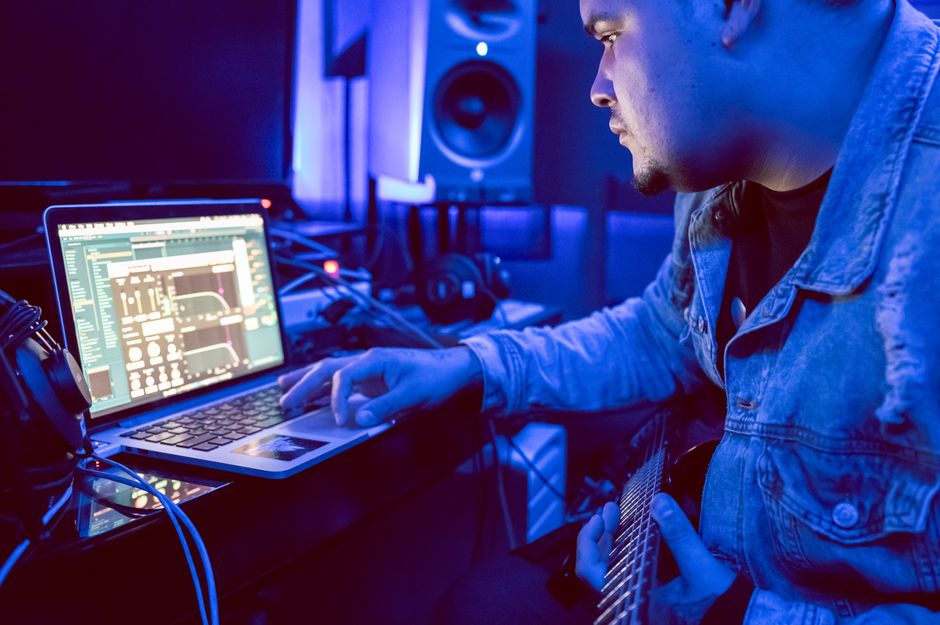
Every guide to this subject stops at the software. Then you install it, plug a microphone into the socket on your laptop, hit record, and discover that you can hear yourself arriving about a fifth of a second late. Welcome to latency: the audio equivalent of a bad phone line with your own voice on the other end.
Here is what is actually happening. Sound has to be converted to numbers, pass through the computer, get processed, and come back out as sound. The computer does that work in blocks, and the size of that block, the buffer, sets the delay. A small buffer means low latency and more strain on the processor. A large buffer means rock-solid playback and a delay you cannot play through.
The driver matters as much as the buffer. On macOS, Core Audio handles this natively and does it well. On Windows, the generic driver path was designed for playing back system sounds rather than for tracking, which is why interface manufacturers write their own ASIO drivers, and why driver quality is a real specification rather than marketing. There is also a shortcut worth knowing: most interfaces offer direct monitoring, feeding the input straight to your headphones before it reaches the computer at all. Zero delay, no processing, and it solves the tracking problem outright.
So the interface is the piece that turns a DAW from a frustrating experience into a working one. Three worth knowing, all on our shelves, prices as of today:
1. The one most people should buy: Audient iD14 MkII, 206 euro. Two of Audient's own mic preamps, converters that are better than this price bracket usually allows, and proper monitor control on the front. If you record vocals or a guitar and want one purchase to cover the next five years, this is it.
2. When the session cannot drop out: RME Babyface Pro FS, 663 euro. The hardware is excellent and it is not what you are paying for. You are paying for RME's drivers, which is why this unit turns up in studios where a dropout costs somebody's afternoon, and why people keep them across three computer upgrades.
3. The far end of the scale: Lynx Studio Hilo 2 USB, 4,278 euro. Reference converters for mastering and critical listening, with a touchscreen and a monitoring matrix. Nobody needs this to learn a DAW, and it would be dishonest to pretend otherwise. It is here so you can see where the road goes, and because the day your room and your monitors stop being the limitation, this is what is left.


If you want the full breakdown of inputs, preamps and connection types before choosing, our guide to picking the right audio interface goes through it properly.

Hearing what you just made
A DAW shows you a waveform. A waveform is a picture, and pictures have never told anyone whether a bassline works.
A pair of active monitors is the first real upgrade after the interface. The Kali Audio LP-6 V2 costs 217 euro each and gives you a 6.5 inch woofer with EQ switches on the back for placement, which matters more than the driver size once the speaker is on a desk against a wall.
Headphones do the other half of the job, and they are the honest purchase when you share a building. The Beyerdynamic DT-770 Pro 80 Ohm at 138 euro has been the default in project studios for years. One thing worth understanding rather than repeating: a sealed cup buys you isolation in both directions, and it also adds cavity resonances that make the low end harder to judge. How much depends on the specific design, not on the category. Either way, make the final call on the bass in a treated room, on monitors.


Playing it in
You can draw every note with a mouse. People do. It also takes four times as long and tends to sound like it was drawn with a mouse.
A MIDI controller sends those instructions we talked about earlier, and because it sends instructions rather than sound, the part you play stays editable forever. Wrong tempo, wrong key, wrong instrument entirely: all fixable after the fact, which is the single most liberating thing about working this way.
The Arturia MiniLab 3 at 88 euro is the standard first controller: 25 keys, pads, encoders, and a software bundle that usually includes a lite DAW licence. The Novation Launchkey Mini 25 mk4 at 114 euro does the same job with deeper integration if you land on Ableton, plus an arpeggiator and chord modes that are genuinely useful when your keyboard technique is, like mine, best described as enthusiastic.


When not to spend a thing
Here is the one strong opinion in this article, and it costs us sales in both directions.
The cheapest interface is rarely the cheapest outcome. Somebody came in wanting the 350 zloty box, roughly 80 euro. We pushed the 550 zloty one instead: same number of inputs, stable drivers. The 200 zloty saved on the cheap unit would have bought about three months of random dropouts mid-session, and dropouts do not just cost time, they cost takes you cannot get back. That gap is smaller than most upgrade decisions and it is the one that actually changes your week.
Now the other direction, which is the more common case. If your complaint is a delay while you are mixing rather than recording, raise the buffer size. It is one slider in your interface control panel, it costs nothing, and it fixes the problem in about ten seconds. If your interface has started misbehaving after a system update, update the driver before you assume it has died. Half of the "my interface is broken" calls we get are a driver conflict, and a five minute download beats a shop visit.
And if the real problem is that your tracks sound thin next to commercial records, no purchase on this page fixes that. That is arrangement and monitoring, in that order.
An interface is a difficult thing to buy from a photograph, because what you are judging is preamp headroom, driver behaviour and how the monitor knob feels at two in the morning. Our Warsaw showroom on Nowogrodzka has these switched on and connected, so you can put headphones on and hear the difference between two of them back to back. Or take one home on a free 30-day Test-Drive: a short contract, real sessions in your own room, then you decide. Everything carries a 36-month warranty, 60 months on PMC and ADAM Audio, there is a 30-day return window, and we ship to every EU country. If you are starting from nothing rather than upgrading, your first studio, start here lays out the order to buy things in.
Straight answers
What DAW is best for beginners?
GarageBand if you own a Mac, because it is free, capable and hard to break. FL Studio if you are making beats and want something running in ten minutes. Ableton Live Lite if it came bundled with your MIDI controller, since you already own it. All three will take you a lot further than most people assume, and none of them limits your audio quality.
Is GarageBand a DAW?
Yes. It records multitrack audio, sequences MIDI, hosts plugins and mixes down to a stereo file, which is the full definition. It is a simplified one with fewer advanced editing tools than Logic Pro, but plenty of released records started in it. Being free does not make it a toy.
Is FL Studio a DAW?
Yes, and it is one of the most widely used. Its pattern-based workflow makes it unusually fast for building beats and loops, which is why it dominates hip-hop and electronic production. It handles recording, mixing and mastering as well, and its lifetime free updates policy is the reason many people never leave it.
What is the most popular DAW?
It depends which room you are standing in. FL Studio and Ableton Live lead in electronic and hip-hop production, Pro Tools remains the standard in commercial recording studios, and Logic Pro dominates among Mac owners because of its price and bundled library. There is no single answer, which is itself the useful answer: the popular choice in your genre is the one whose tutorials and project files you will be able to use.

So: install a free one tonight, find the buffer size slider before you need it, and spend your first real money on the way sound gets in and out rather than on the software it lands in. The DAW is not the thing that makes records. It is the room where you make them, and a room is only as good as the door you walked in through. Mine has four interfaces in it, three of which are plugged into nothing, and I have made peace with roughly none of that.
Read next
- Active Studio Monitors: How to Choose the Right Pair. The next purchase after the interface, sized to your room rather than your ambition.
- How to Choose Studio Headphones. What to use when the monitors have to stay off and the neighbours are awake.
- How to Record Vocals at Home. The first real session in your new DAW, start to finish.