Arturia KeyLab: mk3 vs Essential, and Which Size to Buy
Search "Arturia KeyLab" and Arturia will happily sell you five different keyboards under that one name, and Google's own suggestions will throw in a "mk4" that does not exist yet either. Somewhere, a product manager is very proud of this naming scheme. The rest of us just want to know which box to put money on.
Short version. "Arturia KeyLab" is one name hiding three separate decisions: tier (KeyLab or KeyLab Essential), size (49, 61 or 88 keys) and generation (mk3, which is everything we stock new). Producing on a laptop with a DAW open? Get the KeyLab Essential 61 mk3. Want aftertouch, a bigger screen and a proper chassis under your hands? Get the KeyLab 61 mk3.
Jump to:

One name, five real products
Let us get the shelf sorted before we argue about which box is best.
| Model | Keys | Tier | Price today |
|---|---|---|---|
| KeyLab Essential 49 mk3 | 49 | Essential | €188 |
| KeyLab Essential 61 mk3 | 61 | Essential | €223 |
| KeyLab Essential 88 mk3 | 88 | Essential | €364 (special order) |
| KeyLab 49 mk3 | 49 | Standard | €399 |
| KeyLab 61 mk3 | 61 | Standard | €493 |
Five rows, three questions. Which tier, which size, and — for anyone comparing against a used unit — which generation. Answer those three and the model number stops being a mystery.
Worth flagging honestly before you scroll further: we do not stock a standard KeyLab 88 mk3. Arturia makes one, but on our shelf the 88-key option only exists in the Essential tier. If you need 88 full-size keys and the standard tier's aftertouch and screen, that combination is not currently something we can put in a box for you.
Tier: KeyLab or KeyLab Essential
This is the split that actually changes what is under your fingers, and it is where I see people guess wrong most often.
I pulled the spec sheets off our own product pages rather than trust memory, because "I'm pretty sure the Essential doesn't have X" is how wrong answers get repeated for years.
| KeyLab mk3 (standard) | KeyLab Essential mk3 | |
|---|---|---|
| Keybed | Semi-weighted, velocity and aftertouch | Hybrid synth/piano feel, velocity only |
| Screen | 3.5", 480×320px, 8 contextual buttons | 2.5" LCD |
| Chassis | Wood and aluminium | Recycled plastic (40%), wood-look panels |
| MIDI 5-pin DIN | In and out | Out only |
| Weight (61-key) | 8.5 kg | Noticeably lighter |
Aftertouch is the one that matters most. It is the pressure you can apply after a key is already down, and it is how you add vibrato or swell to a held note without touching another control. The standard KeyLab has it. The Essential does not. If you play pads or leads with any expression at all, that row alone answers the question.
The MIDI DIN input is the other quiet one. The Essential can send MIDI out to a synth or a DAW, but it cannot receive MIDI in over that port. Standard KeyLab can do both, which matters the moment you want to chain a second controller or an external sequencer through it rather than around it. If DIN ports and channels are still a bit abstract, our plain-English guide to how MIDI actually works covers exactly this kind of in/out/thru confusion, because a KeyLab of either tier sends messages, not sound — it needs a DAW or a synth downstream to do anything audible.
The bundled software tilts standard too. Both tiers include Analog Lab Pro and Ableton Live Lite, but the standard KeyLab adds Mini V, Augmented Strings, Piano V and Rev PLATE-140 on top. The Essential's bundle is smaller: UVI Model D and Native Instruments' The Gentleman. Neither bundle is padding — they are real, usable instruments — but the standard tier hands you more of them.

Generation: why mk2 is not on this page
Here is the short answer, and it saved me writing a section I could not honestly back up: we do not sell a KeyLab mk2 of any size, new, on either tier. Checked our full Arturia range before writing this, all 38 listings. If you are buying new from us, you are buying mk3. The generation question answers itself.
It matters only if you are eyeing a second-hand mk2 against a new mk3, and the search data backs up why that is an increasingly short conversation. Every mk2 keyword we checked is falling 25 to 60 percent year over year, while the equivalent mk3 terms are climbing 22 to 50 percent. That is not noise. That is a generation genuinely handing over.
Sound On Sound's review of the standard KeyLab mk3 lists a redesigned arpeggiator and chord system and tighter DAW and native-instrument control among what changed for this generation — reviewer's verdict, not ours, since testing that side by side wasn't part of this piece. Take it as a data point, not gospel from us.
Size: 49, 61 or 88 keys
Fewer opinions here and more physics. A 49-key controller fits next to a laptop on a desk that was never designed to hold a keyboard. Sixty-one keys is where you stop transposing octaves mid-phrase and start playing chords with your left hand doing something useful. Eighty-eight is a full piano range, at the cost of desk space you probably do not have.
Rule of thumb: if you are mostly triggering sounds, sequencing and riding a fader while looking at a screen, 49 does the job. If you actually play — chords, basslines, anything with two hands moving independently — 61 is the size most people settle on for good reason, which is also why it is what we point most first-time buyers towards.
(Yes, I know the 88-key crowd is currently composing an angry email. Save the stamp. If you trained on a real piano, 88 is worth the desk space, and the Essential tier is the only way to get there on this shelf.)
Which one actually goes on your desk
Scenarios, not a spec sheet, because that is the question people actually walk in with.
- Laptop producer, tight desk: KeyLab Essential 49 mk3, €188. Small footprint, full DAW integration scripts, and you are not paying for aftertouch you will not use in a genre built on quantised pads.
- The one most people should actually buy: KeyLab Essential 61 mk3, €223. Two-handed playing range, chord and scale modes, and the price gap to standard is real money for most home setups.
- Trained pianist on a budget: KeyLab Essential 88 mk3, €364, special order. Full range without the standard tier's price. Order ahead, it is not a shelf-grab item.
- Expressive pads and leads, you actually use aftertouch: KeyLab 49 mk3, €399. Same footprint as the Essential 49, real aftertouch, bigger screen.
- The flagship we actually stock: KeyLab 61 mk3, €493. Everything the standard tier does, at the size most players want it in.
And the opinion I am contractually obliged to have. Do not buy the standard tier for the screen alone. A 3.5-inch display is nice. It is not €270 nice on top of the Essential 61. Buy standard for the aftertouch and the MIDI in port, because those change what the controller can physically do. Buy it for the screen and you have bought a slightly nicer remote control.
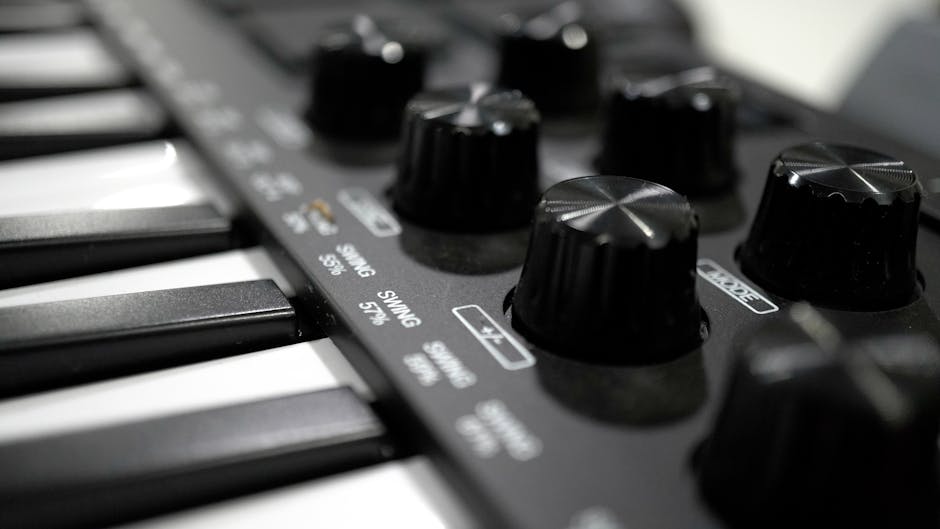
What is in the box
Every KeyLab mk3, either tier, ships with Analog Lab Pro (2,000-plus sounds), Ableton Live Lite, a two-month Loopcloud subscription and a Melodics lesson pack, plus the DAW integration scripts for Ableton Live, Logic Pro, FL Studio, Cubase and Bitwig Studio out of the box. Chord mode, Scale mode and a built-in arpeggiator ship on both tiers too, so the "creative" features are not the thing you are paying the tier difference for.
What is not shared: standard KeyLab throws in Mini V, Augmented Strings, Piano V and Rev PLATE-140 as well. If you are choosing purely on freebies, that is real added value on the standard side, separate from the aftertouch argument above.
What a new KeyLab will not fix
Part of the job is talking people out of a purchase, so here is that part.
It will not make you sound better on its own. A KeyLab has no sound engine inside it. It sends instructions to whatever software or hardware you point it at, exactly like every other MIDI controller — if that split still feels fuzzy, our guide to what a synthesizer actually is draws the line between controller, keyboard and synth properly.
It will not fix a laptop that cannot run your plugins. If Analog Lab already stutters on your current machine, a new controller changes nothing about that. Sort the computer first.
It will not turn a bedroom producer into a pianist overnight. Aftertouch and a bigger keybed reward technique you already have. They do not install it.
All five sit on the shop floor at Nowogrodzka 6A/102 in Warsaw, and the keybed difference between standard and Essential is something you feel in about ten seconds, not something a spec sheet argues you into. If Warsaw is not on your route, the 30-day return window applies with no reason required, everything carries a 36-month warranty, and we ship across Poland and every EU country. Phone: +48 573 580 840.
Straight answers
Can you play an Arturia KeyLab without a computer?
Not for making sound, no. A KeyLab, on either tier, is a MIDI controller: it sends note and control data and has no synth engine inside it. The standard mk3 does include a mode Arturia calls Standalone, which handles some on-board functions without a computer attached, but that mode does not generate audio either — you still need a DAW or a hardware synth downstream to actually hear anything.
Is the Arturia KeyLab Essential weighted?
No, not in the semi-weighted sense. The Essential tier uses a hybrid synth/piano-feel keybed that is velocity-sensitive but does not include aftertouch. The semi-weighted keybed with aftertouch is specific to the standard KeyLab mk3 line, confirmed on both product pages directly.
Is the Arturia KeyLab plug and play?
Yes. Connect it over USB-C and it is class-compliant with pre-mapped DAW integration scripts for Ableton Live, Logic Pro, FL Studio, Cubase and Bitwig Studio using MCU and HUI protocols, so transport and mixer control work immediately without manual mapping. You will still need a track armed and an instrument loaded in your software before you hear anything, which is true of any MIDI controller.
What's the difference between the KeyLab and the KeyLab Essential?
Four real differences, confirmed on our own product pages: the standard KeyLab has a semi-weighted keybed with aftertouch, the Essential does not; the standard has a 3.5-inch screen against the Essential's 2.5-inch LCD; the standard's chassis is wood and aluminium against the Essential's recycled plastic with wood-look panels; and the standard's MIDI DIN port handles input and output, while the Essential's handles output only. The standard also ships with a larger bundle of Arturia instrument plugins.
Is the Arturia KeyLab mk3 good?
Reviewers rate it well. Sound On Sound's review of the standard mk3 praised the arpeggiator and chord system, the DAW and native-device control, and the Analog Lab integration specifically. We have not run our own side-by-side test for this piece, so treat that as a credible third-party verdict rather than our own claim.
Which is better, the Arturia KeyStep or the KeyLab?
They do different jobs, so "better" depends on what you are plugging in. A KeyStep is a compact controller and sequencer built to drive hardware synths and modular gear over CV/gate as well as MIDI, with a smaller keybed and no DAW-mapped faders or screen. A KeyLab is built around software: DAW transport control, a screen, faders and encoders mapped to your plugins. If your rig is mostly hardware synths, KeyStep. If your rig is mostly a DAW, KeyLab.

So: one name, five boxes, three questions. Pick the tier for the aftertouch, not the screen. Pick the size for how you actually play, not how you wish you played. And if you are choosing between a used mk2 and a new mk3, the market has already made that decision for you — mk2 search interest is falling as fast as mk3's is climbing. Go put your hands on one before you argue about it further online.
Read next
- What Is a DAW? And What You Need to Run One. The software your KeyLab is actually talking to.
- The Best Audio Interface, and How to Actually Choose One. The next box on the desk once you are recording, not just triggering.
- Elektron Digitakt II vs Digitone II. If MIDI clock and syncing outboard gear is why you wanted DIN ports in the first place, this is the box on the other end of that cable.