XLR vs USB Microphone: Which One Do You Actually Need?
A USB microphone has the entire recording chain built into its body and plugs straight into your computer. An XLR microphone is only the microphone. The preamp and the converter live outside it, in an audio interface you buy separately. That is the whole difference. Everything else, including fifteen years of forum arguments and at least one shouting match on our shop floor, falls out of that single sentence.
The short version. USB is cheaper to start and finishes the job in one purchase. XLR costs more up front because you are also buying an interface, and it pays you back in flexibility later. The plug itself does not make anything sound better. If you want to stop choosing, buy a mic with both outputs: the RODE NT1 5th Gen at 184 euro has XLR and USB in one body.
Jump to:
Where the electronics live
Every microphone does the same physical job. Something moves in response to air, that movement becomes a tiny electrical signal, and that signal is far too quiet to record, so it needs amplifying, then converting into numbers. The only question is where those two steps happen.
In a USB mic, inside the microphone. Capsule, preamp, analogue-to-digital converter, all in one housing. What leaves the mic is already digital. Your computer sees a sound card, not a microphone.
In an XLR mic, somewhere else. The mic sends a quiet analogue signal down a three-pin XLR cable and something downstream deals with it. Two pins carry the audio, one is ground, and that arrangement cancels interference picked up along the way. That is why a long XLR run stays clean and a headphone cable taped to a boom does not.
Same capsules, same physics, different address for the same electronics. Anyone who tells you the connector has a sound is selling you something, and it is probably a cable.
Why an XLR mic needs an interface
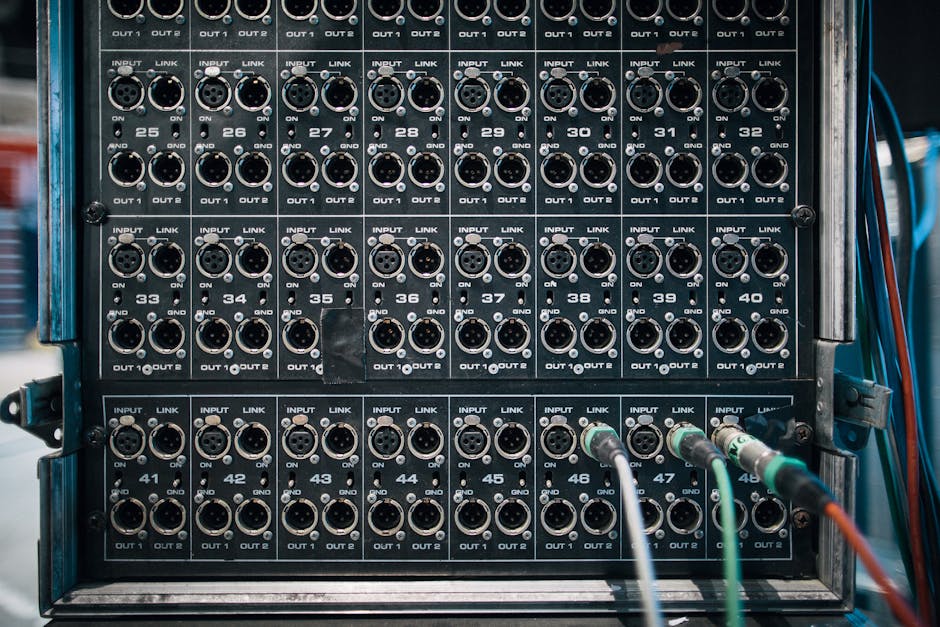
An audio interface is not an accessory. It is the other half of an XLR microphone, sold separately.
It does three jobs. It amplifies that whisper-quiet signal by fifty or sixty decibels. It converts the result to digital. And for a condenser mic it supplies phantom power, the 48 volts that capsule needs to work at all.
Which is why "can I plug an XLR mic into my laptop with an adapter" is answered no, and why people buy the adapter anyway. No socket on your computer does any of the above. The signal arrives, nothing amplifies it, and you get a recording so quiet you can hear the electrons filing a complaint.
The Audient iD4 MkII at 147 euro is the one I hand people most often: Class-A preamp from Audient's big console, 48V on board, and an instrument input for when the guitar inevitably joins in.

Does XLR actually sound better?
Not because it is XLR. This is the part the internet gets wrong.
What decides how a recording sounds, roughly in order: the room, where you put the mic, the capsule, the preamp. The connector is not on that list.
The myth survives for a duller reason. A 600 euro budget goes further spent on one thing than on three. All of it into an XLR mic buys a serious capsule; split across a USB mic's capsule, preamp and converter, each part gets a third of the attention. At the same price the XLR mic usually does have the better capsule. That is a budgeting outcome, not a property of the plug.
The gap has narrowed anyway. The RODE NT-USB+ at 144 euro puts a large-diaphragm capsule and a genuinely quiet preamp in one box, and it beats a cheap XLR mic through a cheap interface without much of an argument.

The bill nobody itemises
Every article on this topic says XLR "costs more." None of them do the arithmetic, so here it is with today's shelf prices.
The USB path. RODE NT-USB+, 144 euro, arriving with a pop filter, a desk stand and a cable. You are recording in about four minutes, most of which is the download.
The cheapest honest XLR path. An sE Electronics V7 at 84 euro plus the Audient iD4 MkII at 147 euro. That is 231 euro before a cable or a stand, and neither is optional.
So the entry ticket to XLR is roughly 1.6 times the USB one, and the gap is all interface.
Which brings the one strong opinion I will hand you: the connector is not the upgrade. Spending 231 euro on a V7 through an iD4 instead of 144 euro on an NT-USB+ does not buy better sound. Those two chains are close enough that your room decides the winner. The extra 87 euro buys a preamp you keep when you change microphones, a second input for when someone else turns up, and phantom power for whatever you buy in three years. That is a real thing to want. It is just not "better sound," and I would rather you knew before you spent it.
The mics that refuse to choose
Somewhere around 2023 the manufacturers noticed everyone was stuck on this question and quietly stopped asking it.
A dual-output mic has a real XLR connector and a USB port on the same body. Plug in the USB today and record. Plug the XLR into an interface in two years when you own one. Same mic, same capsule, no second purchase.
The RODE PodMic USB at 191 euro is a broadcast-style dynamic with both outputs, onboard processing and a headphone socket. The RODE NT1 5th Gen at 184 euro is the more interesting object: a large-diaphragm condenser with 4 dBA of self-noise, XLR and USB together, and a 32-bit float output that cannot clip. You can shout into it and fix the level afterwards, a sentence that would have got me laughed out of a studio in 2005.
(I own four DI boxes and have never once had one in the bag when it mattered. A mic that removes a decision appeals to me more than it probably should.)
One warning, because this is the question people ask most: an adapter does not convert a USB mic to XLR. The USB mic outputs a digital stream, the XLR input expects a quiet analogue signal, and correctly shaped ends change neither. Those XLR-to-USB cables run the other way: a tiny interface hidden in the connector shell, for XLR mics.
Which one you should buy
Buy USB if you record one voice at a time, want it working today, and the words "gain staging" hold no romance for you. Solo podcasting, streaming, voice-overs, calls that matter. Not a compromise. It is the right answer for most people who ask me.
Buy XLR if you record two people at once, you are recording instruments as well as voices, you already own an interface, or you know you will keep buying microphones. The moment a second mic enters the room, USB stops being convenient and starts being an obstacle.
Buy a dual-output mic if you can see yourself moving from the first list to the second and would rather not pay twice.
And here is when to ignore all of it. If you already own a USB mic and your recordings sound thin or roomy, an XLR setup will not fix that. Move the mic closer, put something soft behind you, stop recording in the corner. A 231 euro upgrade cannot outrun a bad position, and I would rather tell you that than sell you an interface.
At the top sits the Shure SM7dB at 642 euro, the broadcast standard with a preamp built in, because the original was so quiet it needed sixty decibels of gain to reach a polite conversational level. It has never gone to eleven in its life. It just needs a very long run-up.
If you would rather settle this with your own voice than a spec sheet, our Warsaw showroom has both chains plugged in and waiting. Sing into a USB mic, then into the same capsule through an interface, and hear how much of the difference is really your room. Or take one home on a free 30-day Test-Drive: short contract, real work, then you decide. Everything carries a 36-month warranty and a 30-day return window, and we ship to every EU country. Still choosing between capsule types? The condenser versus dynamic guide is the other half of this decision.
Straight answers
Is XLR worth it over USB?
Yes when you need more than one input, want a preamp you keep across future mics, or already own an interface. No if you record one voice and want to be finished today. The cheapest sensible XLR setup runs about 231 euro against 144 euro for a comparable USB mic, and that gap buys flexibility, not fidelity.
Does XLR give better mic quality?
The connector makes no difference on its own. Quality comes from the capsule, the preamp, the mic position and the room. XLR mics often do sound better at the same price, because the whole budget went into one device rather than being split across a capsule, a preamp and a converter. That is budgeting, not the plug.
Can a USB mic be converted to XLR?
No. A USB mic outputs a digital data stream and an XLR input expects a quiet analogue signal, so no adapter bridges them. The XLR-to-USB cables sold online run the other way and hide a small interface in the shell. For both options, buy a dual-output mic like the RODE PodMic USB or RODE NT1 5th Gen.
What are the disadvantages of using an XLR mic?
It cannot work alone. You need an interface, a cable and usually a stand, which raises the entry cost and the desk clutter, and condensers need 48V phantom power on top. Setup takes longer and a fault has more places to hide, though nine times out of ten a new hum is a loose cable, not dead gear.
Do XLR mics sound better than USB?
Not inherently. A good USB mic beats a cheap XLR mic through a cheap interface, and a good XLR chain beats a budget USB mic. At the top of the market XLR wins, because nobody builds a converter into a 2,000 euro studio microphone. For most home recording, what you hear is the room, not the connector.
So: USB puts the studio inside the microphone, XLR spreads it across your desk, and both of them record your voice perfectly well if you sit close enough to the thing. Buy the one that matches how many people are in the room. And if you catch yourself reading a fourth comparison article tonight, that is not research any more. That is Gear Acquisition Syndrome, and I say that as a man who owns four DI boxes and cannot find one.
Read next
- How to Connect a Microphone to a Computer. The decision is made, this is the practical half: cables, inputs and system settings.
- The Best Audio Interface, and How to Actually Choose One. Go XLR and the interface is your next decision, and it sets the quality of the chain.
- How to Record Vocals at Home? A Complete Step-by-Step Guide. What to do with the mic once it is on the stand.