

What Does a Mixing Desk Do
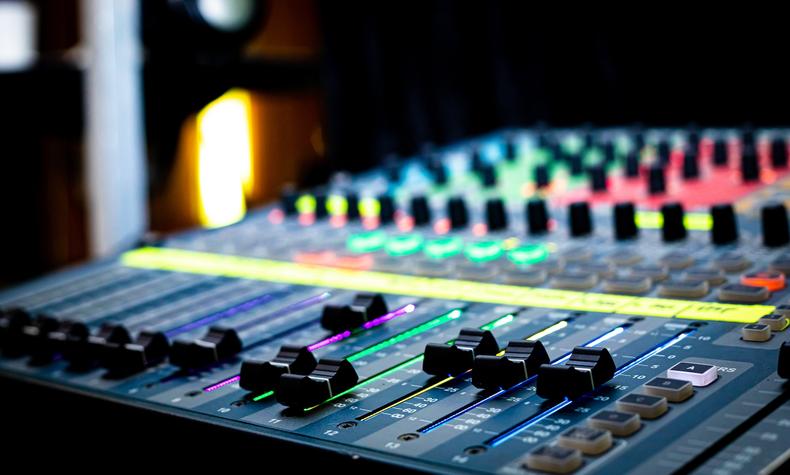
A mixing desk takes several audio signals, sets how loud each one is, shapes its tone, and sends the result where it needs to go. That is the whole job, and everything else on the surface is a variation on those four verbs. All those knobs look like the cockpit of something that should not be allowed to fly, but the same handful of controls just repeats down the panel, once per channel.
Short version. A desk combines, levels, tones and routes. It earns its place when you have more sources than your interface has inputs, or when someone has to ride levels live while the show is happening. If you record two things at a time into a computer, an interface does the same job with fewer things to dust. And the word "mixer" covers four genuinely different boxes, which is where most bad purchases start.
Jump to:

The four things a desk actually does
Take one vertical strip of the panel. That strip is one input, and every strip is the same strip. Learn one and you have learned the desk.
It combines. Six microphones and two keyboards go in, one stereo signal comes out to the speakers or the recorder. Summing is the original reason the box exists, and the reason the word is what it is.
It sets level. The fader at the bottom of each strip decides how loud that source sits against the others. Above it sits the gain control, which does something different: gain matches the incoming signal to the desk's own working level, and the fader balances it against everything else. Getting those two confused is the single most common reason a channel sounds either thin or crunchy.
It shapes tone. Each strip has an equaliser, from a two-knob bass and treble on small desks up to a fully parametric section on larger ones. On a live desk this is mostly used to take things away rather than add them, which is a lesson most of us learn the loud way.
It routes. This is the part that separates a desk from a volume knob. Aux sends let you build a second, independent mix from the same inputs, which is how a singer gets a monitor mix that is not the same as the one the audience hears. Groups let you put eight drum channels under one fader. Inserts let you drop a compressor into one channel only.
A desk with microphone inputs also supplies +48 V phantom power, usually as one switch per channel or one for the whole desk. Condenser microphones need it. Dynamic microphones do not, and on a working balanced XLR cable it does them no harm either.
Four different boxes, one word
Here is the part the other guides skip, and it is the reason people end up with the wrong thing in a box on the floor. "Mixer" is not one product category. It is four, and they are barely related.
| What it is | What it's for | Gives you a recording? | Example |
|---|---|---|---|
| Live console | Running sound in a room, in real time | Sometimes, as a stereo file | Allen & Heath CQ18T |
| Hybrid mixer + interface | Live mixing and multitrack recording to a computer | Yes, every channel separately | PreSonus StudioLive AR16c |
| DAW controller | Physical faders for software that is already mixing | No, it moves nothing but data | SSL UF8 |
| Summing mixer | Adding finished tracks together through analogue circuitry | No, it has no preamps | Dangerous Music 2-BUS-XT |
The one that catches people out most often is the DAW controller. It has faders, it has knobs, it sits where a desk would sit, and it does not touch audio at all. Every fader on it is sending a message to your software. Buy one hoping to plug in two microphones and you will have bought a beautifully built remote control, which is a fine thing to own and a poor answer to the question you were asking.
The summing mixer catches out the other half. It takes eight or sixteen line signals that are already recorded and adds them together in analogue circuitry instead of inside the computer. No preamps, no phantom power, nowhere to plug a microphone. It is a mixing tool for people who already have everything else, and it is genuinely lovely at that job.
Mixer or audio interface
This is the real question behind most searches, so here it is without the hedging.
An audio interface is a box that gets sound in and out of a computer. Two to eight inputs, no faders, and the mixing happens on screen. It is the right answer for recording, because every source lands on its own track and you can change your mind about the balance next week.
A desk is the right answer when the balance has to be made now, by hand, while people are playing. That is live sound, rehearsal rooms, houses of worship, conferences. Nobody is going to open a laptop mid-song to pull the guitar down.
Two situations tip the scales towards a desk even in a studio. The first is input count: when you need sixteen microphones on a drum kit and a band, desks reach that number far more cheaply than interfaces do. The second is a hybrid box that is both, which is why the category exists at all.
If your problem is really about getting more inputs into a computer rather than about faders, start with how to actually choose an audio interface instead. And if the question is simply how to get one microphone recorded today, we have a step-by-step on connecting a microphone to a computer.
Seven desks from the shelf
All in stock, prices as they stand today, ordered by what the box is for rather than by what it costs.
1. For talking, not playing: RODE Caster Pro II, €524. A production console built for podcasts and streams. Microphone inputs, pads for sound effects, and recording straight to an SD card or a computer. If your show is voices rather than instruments, this covers the whole desk in one purchase and skips the learning curve of a general-purpose console.
2. The one that is both: PreSonus StudioLive AR16c, €550. An analogue desk with faders you can grab, and a USB interface underneath that sends every channel to the computer separately. Mix the room by hand and get a full multitrack recording of the same performance. For a rehearsal space or a small venue that also wants recordings, this is the answer to the mixer-or-interface question rather than a choice between them.
3. Compact and made for the road: Bose T4S, €632. Four channels, built-in effects and processing, and a footprint that fits in a bag with the cables. Aimed at solo performers and duos who set up their own sound and would rather not carry a full console to a pub gig.
4. Digital where it counts: Allen & Heath CQ18T, €963. Eighteen inputs, a touchscreen and recallable scenes, in a box smaller than the analogue desks it replaces. The real gain of digital here is not sound quality but memory: your settings for last Friday come back exactly as you left them, which analogue cannot do without a photograph and a lot of patience.
5. Faders, but not a mixer: SSL UF8, €1059. Eight motorised faders that control your software. It is on this list precisely because it is not a mixing desk, and it is the thing people buy by mistake. If your mixing already happens inside a computer and you just want to stop mixing with a mouse, this is superb. If you need to plug a microphone in, it is the wrong box entirely.
6. The stage-side rack: PreSonus StudioLive 32R, €1713. Thirty-two channels in a rack unit with no faders at all, controlled from a tablet and placed on stage next to the band. One network cable runs to front of house instead of a thick multicore. For anyone who has coiled a snake in the rain, that sentence alone justifies the price.
7. Not for recording, for finishing: Dangerous Music 2-BUS-XT, €2479. A summing mixer. Sixteen already-recorded tracks leave the computer, get added together through analogue circuitry, and come back as a stereo pair. No preamps, no microphone inputs, no faders to ride. This is the last box you buy, not the first, and if you are reading a guide called "what does a mixing desk do" it is almost certainly not the one you need yet.

When you don't need one
We sell desks, so take this in the spirit it is offered.
If you record one or two things at a time into a computer, you do not need a mixing desk. A two-input interface does the same work, costs less, takes up a fraction of the space, and leaves every decision changeable afterwards. Buying a sixteen-channel console to record a vocal is the audio equivalent of buying a minibus to carry one bag of shopping. It will do it, and you will resent parking it.
Three more cases where the honest answer is no. If you want physical faders for software you are already mixing in, you want a controller, not a desk. If you want your recordings to sound warmer, a desk is an expensive place to look for that, and the room and the microphone position will give you more. And if your only complaint is that you have run out of inputs, adding an interface with more inputs is usually cheaper than adding a console plus the cabling that comes with it.
The clearest signal that you genuinely do need one is this: somebody has to change the balance while sound is happening, and that somebody is not sitting at a computer. Live rooms, rehearsal spaces, worship venues, conference rooms, a band that records itself playing together. That is the job a desk does that nothing else does as well.
Our showroom is at Nowogrodzka 6A/102 in Warsaw, and a mixing desk is one of those things that stops being confusing the moment somebody points at one strip and says "this repeats sixteen times". Selected gear also comes with a free 30-day Test-Drive, so you can find out in your own room whether you needed a desk or an interface. Everything carries a 36-month warranty, and we ship to every EU country.
Straight answers
Is a mixing console worth it?
It is worth it when somebody has to balance sound live, or when you need more microphone inputs than an interface gives you at the same money. For a home studio recording one or two sources into a computer, it usually is not: an audio interface does that job for less money and keeps every decision changeable afterwards. The question is not how good desks are, it is whether the balance has to be made in real time.
What is the best mixing desk for beginners?
For someone starting out and wanting both live mixing and recordings, a hybrid desk such as the PreSonus StudioLive AR16c at €550 is a sensible first console, because it works as an analogue desk and as a multitrack interface. If the material is talking rather than playing, the RODE Caster Pro II at €524 is simpler and purpose-built for it. Start from what you actually run rather than from channel count.
What is a mixing desk called?
The same object goes by several names. Mixing desk is the common British term, mixing console is the formal one, mixing board and soundboard are more common in American usage, and mixer covers all of them plus several devices that are not desks at all. If someone says mixer, it is worth asking which of the four they mean before you agree on anything.
Do I need a DAW if I have a mixer?
For live sound, no. A desk feeds speakers directly and needs no computer in the chain. For recording, it depends on the desk: a plain analogue console gives you a stereo output you can record to almost anything, while a hybrid desk with a USB interface sends every channel separately and needs recording software at the other end. A summing mixer, by contrast, only makes sense alongside a DAW, because that is where the tracks come from.
What is the difference between a mixing console and a mixer?
In everyday use the two words mean the same thing, with console implying something larger and more permanent. The distinction worth caring about is a different one: whether the box has microphone preamps and faders that move audio, or whether it is a controller that moves data, or a summing mixer that adds already-recorded signals. Those are three genuinely different products sharing one word.
What does an audio mixer do for streaming?
On a stream it does three useful things: it gets one or more microphones to a usable level, it lets you balance voices against game audio and music without touching software mid-broadcast, and it can send a different mix to your headphones than the one going out to viewers. For a single-presenter stream a dedicated production console covers all of it. For a solo voice with no guests, a USB microphone and an interface will usually do the same job with less on the desk.

Work out which of the four boxes your problem actually needs, then buy the smallest one that solves it. A desk you have outgrown is a good problem and a cheap one to fix. A desk with twenty-four channels you have never plugged anything into is furniture with a power cable. And if you find yourself in a pub one day glancing at the sound engineer's desk to see how they've routed the monitors, that one is on us, and there is no refund.
About the author
Michał Kaniuszkiewicz is a content manager and SEO specialist at Wired Tunes. He creates and optimizes content that helps readers find useful information about music, gear, and sound. Beyond his editorial work, he has been making music for 8 years in hip-hop, pop, and electronic genres — giving him insight into the subject not just from an SEO perspective, but from the inside, as a practicing musician and producer. This experience allows him to create content that's equally useful and clear for both beginners and experienced listeners and music creators.
Read next
- Your first studio, start here. What to buy first when the desk turns out not to be the answer.
- XLR vs USB microphones. Which microphones a desk can actually take, and which never will.
- Active studio monitors. Where the desk output goes, and why that choice matters more.